
How to Set Up Xtreme HD IPTV on Samsung Smart TV
Learn how to watch Xtreme HD IPTV on a Samsung Smart TV using IBO Player Pro. This step-by-step tutorial covers installation, finding your MAC Address and Device Key, adding your M3U playlist and loading your channels.

Use IBO Player Pro on Samsung Smart TV
For Samsung Smart TVs, our recommended player is IBO Player Pro. It provides a TV-friendly interface for loading and accessing your Xtreme HD IPTV playlist directly on your television.
Unlike Android TV or Firestick, you normally do not install the Xtreme HD IPTV APK on Samsung's Tizen operating system. Instead, you install a compatible IPTV player from the Samsung Apps store and connect your subscription to it.
What You Need Before Starting
The Samsung TV setup is simple. Have these items ready before installing IBO Player Pro.
Samsung Smart TV
A compatible Samsung Smart TV connected to the internet and able to access the Samsung Apps store.
IBO Player Pro
Search for IBO Player Pro from your Samsung TV's app store and install it on your television.
Your Xtreme HD IPTV M3U URL
You will need the M3U playlist URL provided with your Xtreme HD IPTV subscription.
Install IBO Player Pro on Samsung TV
Follow these steps to connect your Samsung Smart TV to Xtreme HD IPTV.
Open the Samsung Apps Store
From your Samsung Smart TV home screen, open Apps and use the search function.
Search for:
Select the app from the search results and install it on your Samsung TV.
Open IBO Player Pro
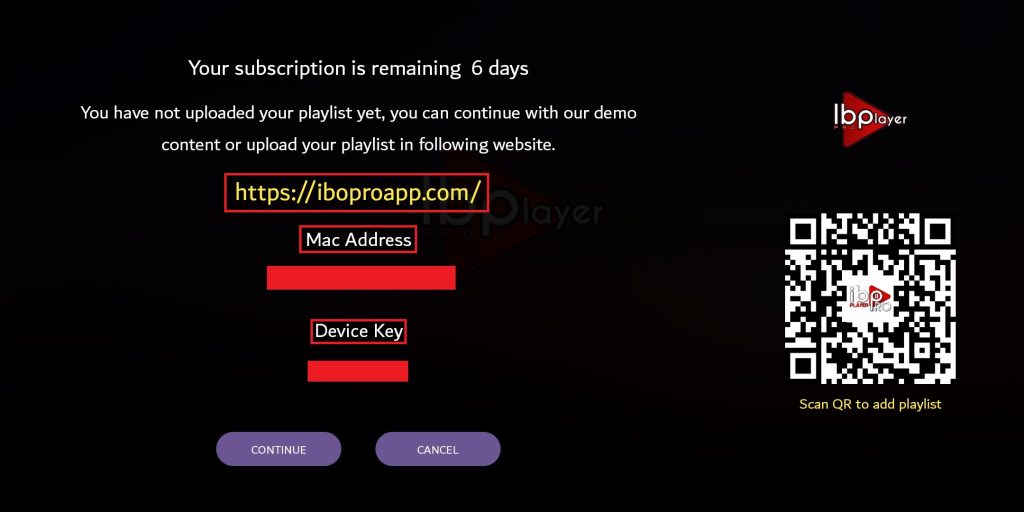
Launch IBO Player Pro after installation. The app will display information that identifies your television installation.
Look for your:
Open the Official IBO Player Website
On your phone, tablet or computer, open the official IBO Player device login page.
https://iboiptv.com/device/login
Enter the MAC Address and Device Key displayed on your Samsung TV.
Log In to Your Device
Carefully enter the same MAC Address and Device Key shown inside the IBO Player Pro application.
Make sure every character is entered correctly before continuing.
Add Your Xtreme HD IPTV Playlist
Once logged in to your device management page, choose the option to add a playlist.
Enter a name for the playlist such as:
Then paste the M3U URL supplied with your Xtreme HD IPTV subscription into the playlist URL field.
Save the Playlist
Save or submit the playlist from the IBO Player management portal.
Once saved successfully, return to your Samsung TV.
Reload IBO Player Pro
Return to the IBO Player Pro app on your Samsung TV. Use the reload or refresh option if available.
You can also completely close and reopen the app so it retrieves the newly added playlist.
Open Xtreme HD IPTV
Once your playlist has loaded, the IBO Player Pro home screen will display the available content categories from your subscription.
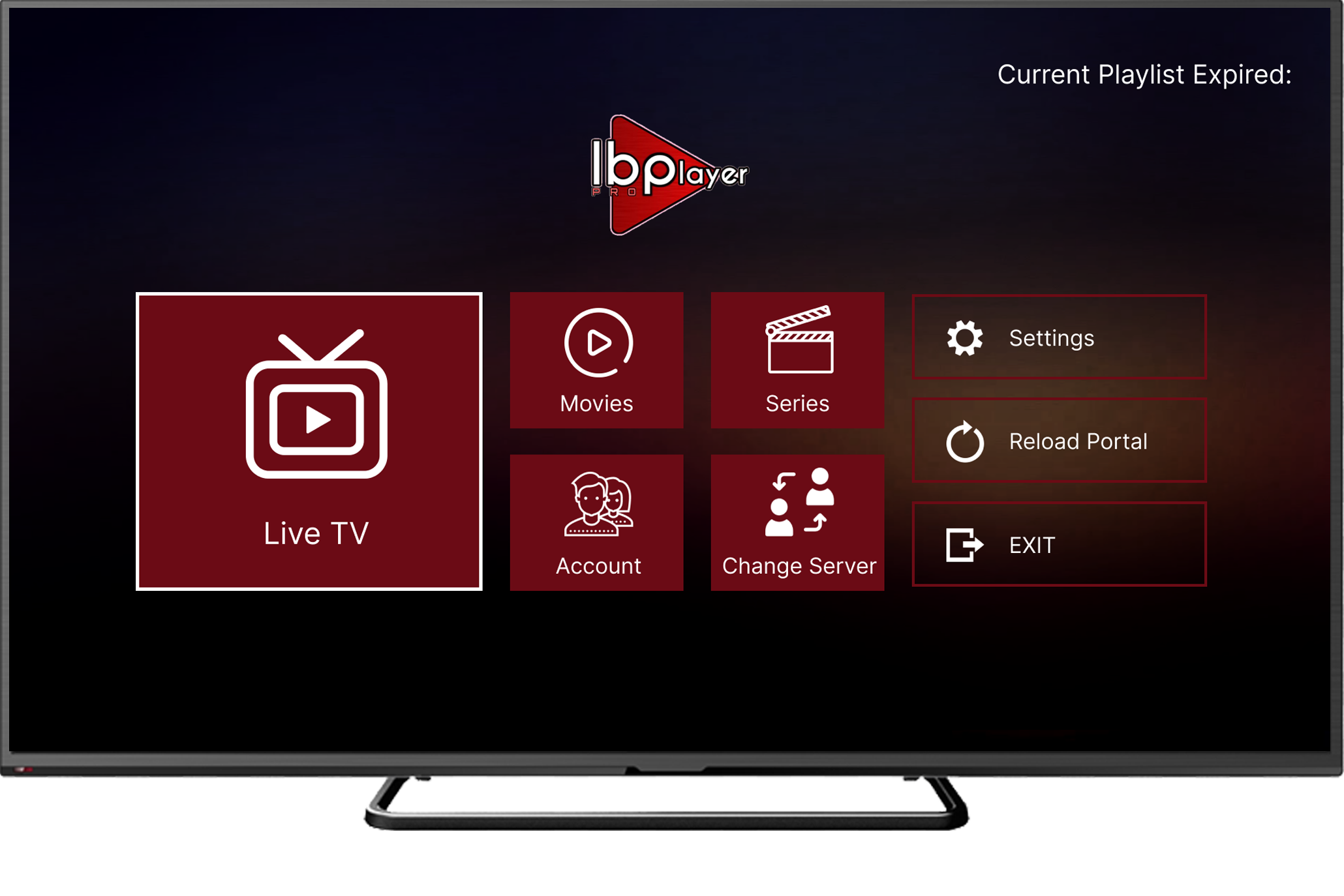
IBO Player Pro Device Login
Use your IBO Player MAC Address and Device Key to access the playlist management page and add your Xtreme HD IPTV M3U URL.
You're Ready to Use Xtreme HD IPTV on Samsung TV
Once the playlist has loaded successfully, you can navigate your subscription directly using your Samsung TV remote.
- Browse available live TV channels
- Access movies and on-demand content
- Browse available TV series
- Search for channels or programs
- Add frequently watched content to favorites where supported
Important Information About IBO Player Pro
IBO Player Pro is the player application used to display your subscription on the Samsung TV.
IBO Player Is a Media Player
IBO Player Pro does not provide the Xtreme HD IPTV subscription itself. It acts as the player used to load your playlist on the television.
Keep Your M3U URL Private
Your playlist URL can contain credentials linked to your account. Do not share it publicly or post it online.
Use the Device Details Shown in the App
Always use the MAC Address and Device Key displayed inside your own IBO Player installation when accessing the playlist management portal.
Xtreme HD IPTV Samsung TV FAQ
Answers to common questions about setting up Xtreme HD IPTV with IBO Player Pro on Samsung Smart TVs.
What app should I use for Xtreme HD IPTV on Samsung TV?
Can I install the Xtreme HD IPTV APK on Samsung TV?
Where do I find my IBO Player MAC Address and Device Key?
Where do I upload my Xtreme HD IPTV M3U URL?
Why is my playlist not showing after I added it?
Does IBO Player Pro include an IPTV subscription?
Using Another Device?
Visit our Xtreme HD IPTV App center for setup instructions for Firestick, Android TV, Smart TVs, mobile devices and compatible IPTV players.
View All Xtreme HD IPTV App Guides