XtremeHDIPTV.io has moved to our new domain: XtremeHDIPTVs.io — Email: hello@xtremehdiptvs.io — Telegram: https://t.me/+ug3r_pD0ENlhZDg0XtremeHDIPTV.io has moved to our new domain: XtremeHDIPTVs.io — Email: hello@xtremehdiptvs.io — Telegram: https://t.me/+ug3r_pD0ENlhZDg0
Xtreme HD IPTV

Setup

Xtreme HD IPTV Setup Guides


Whether you’re using Firestick, Android TV, Smart TV, iPhone, iPad, Windows, Mac, or an IPTV player app, this page will help you get started quickly.

Need help setting up your IPTV subscription?

Choose your device or app below and follow the step-by-step guide.

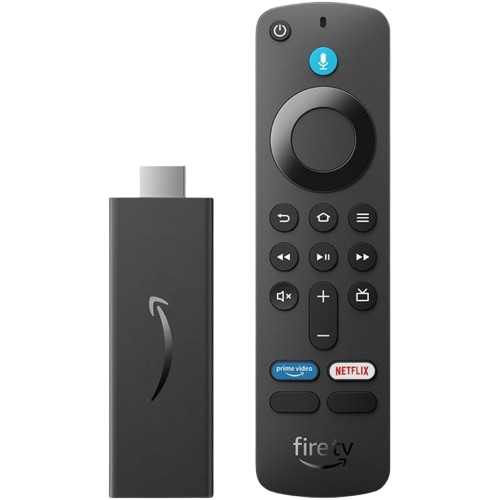
Xtreme HD IPTV setup guide on Amazon Firestick using IPTV player app.

Firestick / Fire TV

Fast and easy setup for Amazon Fire TV devices.
Perfect for streaming live TV and VOD on your TV.

Read Setup Guide

Xtreme HD IPTV setup guide on Android TV and Android devices.

Android Devices

Works with Android devices and streaming devices.
Smooth IPTV experience with full app support.


Read Setup Guide

Xtreme HD IPTV setup guide on Samsung Smart TV using IPTV app.

Samsung Smart TV

Stream directly on compatible Samsung Smart TVs.
No extra device required.


Read Setup Guide

Xtreme HD IPTV setup guide on LG Smart TV using IPTV player app.

LG Smart TV

Easy IPTV setup using LG TV apps.
Enjoy live channels and movies on the big screen.


Read Setup Guide

Xtreme HD IPTV setup guide on iPhone, iPad iOS and Apple TV devices

iOS Devices

Watch IPTV on iOS devices with compatible players.
Simple mobile setup in minutes.

Read Setup Guide

Xtreme HD IPTV setup guide on Windows PC and Mac using IPTV player software

Windows & Mac

Stream IPTV on your Windows or Mac laptop or desktop.
Ideal for watching on larger screens.

Read Setup Guide

Need Help?

Still having trouble?

Contact Xtreme HD IPTV support and include:

Your order number
Your device name
The app you’re using
A screenshot of the error, if available

⏳ Ending Soon: 🔥 Save 30% on All Plans with coupon:

X