
A decade ago, watching television was simple.
You paid your cable company every month, received a cable box, and watched whatever channels came with your package.
Today, things look very different.
Millions of households have canceled cable subscriptions and moved toward internet-based television services. Streaming platforms have exploded in popularity, internet speeds have improved dramatically, and viewers now expect to watch content whenever and wherever they want.
This shift has introduced many new terms into the television industry, and one of the most common is IPTV.
If you’ve been researching alternatives to cable TV, you’ve probably seen IPTV mentioned repeatedly.
But what exactly is an IPTV service? How does it work? What equipment do you need? And why are so many people switching to IPTV in 2026?
This guide answers all of those questions in simple terms.
What Is an IPTV Service?
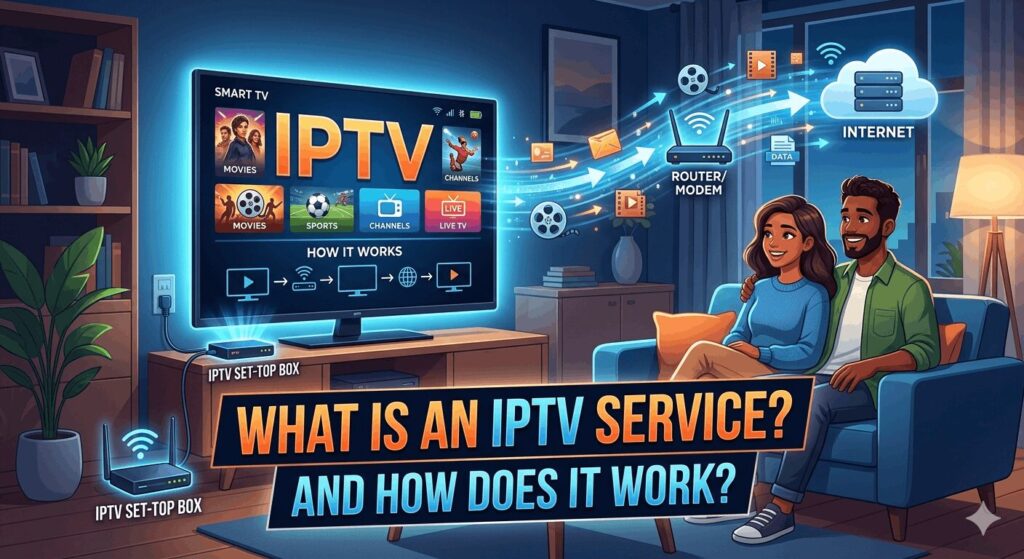
An IPTV service is a television service that delivers live TV channels, movies, sports, and on-demand content through an internet connection instead of traditional cable or satellite networks.
IPTV stands for Internet Protocol Television.
Unlike traditional television systems that use coaxial cables or satellite dishes, IPTV uses internet technology to stream content directly to your device.
This means television can be delivered through:
- Home internet connections
- Fiber internet
- Cable internet
- 4G networks
- 5G networks
As long as you have a stable internet connection, IPTV can deliver television content to compatible devices.
Instead of receiving television signals through cable infrastructure, viewers receive digital streams over the internet.
Think of IPTV as a system that combines traditional television with modern streaming technology.
What Does IPTV Stand For?
IPTV stands for:
Internet Protocol Television
Let’s break that down.
Internet Protocol
Internet Protocol (IP) is the technology used to send data across the internet.
Every time you:
- Visit a website
- Watch YouTube videos
- Stream Netflix
- Send emails
data is transmitted using internet protocols.
IPTV simply applies that same technology to television.
Television
Instead of transmitting television channels through cable networks or satellites, IPTV delivers those channels using internet data.
The result is a more flexible viewing experience.
How Does IPTV Work?
Understanding IPTV becomes much easier when you compare it to traditional cable television.
Traditional Cable TV
The process typically looks like this:
- Television channels are transmitted by broadcasters.
- Cable companies receive those signals.
- Signals travel through physical cable infrastructure.
- Viewers watch channels through cable boxes.
This system requires extensive physical infrastructure.
IPTV
The IPTV process looks different:
- Television content is acquired from content sources.
- Content is encoded into digital streams.
- Streams are delivered through internet servers.
- Users access content through IPTV applications.
- Content plays on their devices.
Instead of requiring miles of cable infrastructure, IPTV uses internet networks.
This allows content to be delivered more flexibly.
A Simple IPTV Example
Imagine you want to watch a football game.
With cable TV:
- The signal arrives through your cable connection.
With IPTV:
- The content arrives through your internet connection.
From the viewer’s perspective, both methods appear similar.
The difference happens behind the scenes.
The Three Main Types of IPTV
Most IPTV services provide three categories of content.
Understanding these categories helps explain why IPTV has become so popular.
1. Live TV IPTV
Live TV is the feature most people associate with IPTV.
This works similarly to traditional television.
Viewers can watch:
- News channels
- Sports channels
- Entertainment channels
- Kids channels
- Documentary channels
- International channels
The content streams in real time.
If a football game starts at 7 PM, viewers watch it live just like traditional television.
Live TV remains one of IPTV’s most important features.
2. Video On Demand (VOD)
Video On Demand allows users to watch content whenever they want.
Instead of following a fixed television schedule, viewers can choose content directly from a library.
Examples include:
- Movies
- TV shows
- Documentaries
- Series
This is similar to the experience provided by streaming platforms.
The major difference is that VOD content is often integrated into the IPTV service itself.
3. Catch-Up TV
Catch-Up TV allows viewers to watch previously aired programs.
Imagine missing a show that aired yesterday.
Instead of waiting for a rerun, Catch-Up TV may allow you to watch the program later.
This feature has become increasingly popular because modern viewers rarely follow strict television schedules.
Why Has IPTV Become So Popular?
There are several reasons IPTV adoption continues to grow.
Greater Flexibility
Traditional television limits where and how you watch content.
IPTV provides more flexibility.
Viewers can watch content on:
- Smart TVs
- Streaming devices
- Smartphones
- Tablets
- Computers
This flexibility fits modern lifestyles.
Better Device Support
Most households own multiple screens.
Instead of watching television exclusively in the living room, people watch content:
- In bedrooms
- On phones
- On tablets
- While traveling
IPTV supports this behavior naturally.
More Content Options
Many viewers want access to:
- Live TV
- Sports
- Movies
- Series
- International channels
IPTV often combines multiple content categories into a single platform.
What Equipment Do You Need for IPTV?
One of the biggest misconceptions about IPTV is that it requires special equipment.
In reality, most people already own compatible devices.
Internet Connection
The first requirement is internet access.
Because IPTV streams content online, internet service is essential.
Recommended speeds:
Higher speeds become important when multiple devices stream simultaneously.
IPTV Application
Most IPTV services require an IPTV player.
Popular IPTV players include:
- TiviMate
- IPTV Smarters Pro
- Hot IPTV
- IBO Player
- XCIPTV
These applications organize channels and provide the viewing interface.
Compatible Device
Users also need a compatible device.
Fortunately, many devices support IPTV.
What Devices Support IPTV?
One of IPTV’s biggest advantages is broad compatibility.
Amazon Fire TV Stick
The Amazon Fire TV Stick remains one of the most popular IPTV devices.
Benefits include:
- Affordable pricing
- Good performance
- Easy setup
- Wide app compatibility
Android TV
Android TV devices provide excellent IPTV experiences.
Popular options include:
- NVIDIA Shield TV Pro
- Google TV Streamer
- Android TV boxes
These devices offer strong performance and flexibility.
Apple TV
Apple TV supports IPTV through various applications.
Benefits include:
- Powerful hardware
- Smooth performance
- Excellent reliability
Smart TVs
Many Smart TVs support IPTV directly.
Common brands include:
- Samsung
- LG
- Sony
- TCL
Some users prefer dedicated streaming devices, but Smart TVs often work well.
Smartphones and Tablets
IPTV works on:
- Android phones
- Android tablets
- iPhones
- iPads
This allows viewers to watch content away from home.
Computers
IPTV also works on:
- Windows PCs
- Mac computers
This provides another viewing option for users who spend significant time at their desks.
IPTV Apps Explained
An IPTV service and an IPTV app are not the same thing.
Many beginners confuse these concepts.
The IPTV service provides the content.
The IPTV app provides the interface.
Think of it like this:
The service supplies the channels.
The app displays them.
Popular IPTV apps include TiviMate and IPTV Smarters Pro because they offer:
- Channel guides
- Favorites lists
- Search features
- VOD organization
- Modern interfaces
The combination of a good IPTV service and a good IPTV app creates a much better viewing experience.
How IPTV Differs From Traditional Streaming Services
Many people ask:
“Is IPTV the same as Netflix?”
Not exactly.
Streaming services typically focus on on-demand content.
Examples include:
- Netflix
- Hulu
- Disney+
Their primary purpose is delivering movies and TV shows.
IPTV focuses heavily on live television while often including on-demand content as well.
This combination appeals to viewers who still want traditional television channels but prefer internet delivery.
IPTV vs Cable TV
To understand why IPTV has grown so quickly, it helps to compare it directly with cable television.
For decades, cable TV dominated the television industry.
Today, many consumers are asking whether cable still makes sense.
Cost Comparison
One of the biggest differences is cost.
Traditional cable packages often include:
- Base television package
- Equipment rental fees
- DVR fees
- Sports fees
- Taxes and surcharges
Many households end up paying between $80 and $150 per month.
IPTV subscriptions are often significantly less expensive.
For consumers looking to reduce entertainment expenses, this difference can be substantial.
Flexibility
Cable television usually requires:
- A cable box
- Physical installation
- Service availability in your area
IPTV only requires:
- Internet access
- A compatible device
- An IPTV application
This makes IPTV much more flexible.
Device Support
Cable TV is typically designed around television sets.
IPTV supports:
- TVs
- Smartphones
- Tablets
- Computers
This flexibility aligns better with modern viewing habits.
Content Access
Cable systems are often limited by regional packages.
IPTV services can provide access to:
- Local channels
- National channels
- International channels
- Sports networks
- Movie channels
The broader content selection is one reason many users switch from cable.
IPTV vs Satellite TV
Satellite television remains popular in some regions, but IPTV offers several advantages.
Equipment Requirements
Satellite television often requires:
- Satellite dish installation
- Receiver equipment
- Professional setup
IPTV requires:
- Internet
- Compatible device
- IPTV application
The setup process is generally simpler.
Weather Effects
Satellite television can sometimes be affected by:
- Heavy rain
- Snow
- Storms
IPTV is not dependent on satellite reception.
Instead, performance depends largely on internet quality.
Portability
Satellite systems are tied to physical installations.
IPTV can often be used wherever internet access is available.
This flexibility appeals to travelers and users with multiple residences.
IPTV vs Streaming Services
Many people compare IPTV with streaming platforms.
However, they serve slightly different purposes.
Streaming Platforms
Services like Netflix focus primarily on:
- Movies
- TV series
- Original content
They generally do not function as complete live television replacements.
IPTV
IPTV combines:
- Live television
- Sports
- News
- Entertainment
- Video-on-demand content
For viewers who still want traditional television channels, IPTV fills a different role.
Why Many Households Use Both
A common setup today includes:
- IPTV for live television
- Netflix for original shows
- Disney+ for family content
Rather than replacing one another entirely, these services often complement each other.
Benefits of IPTV
Let’s examine the advantages that have driven IPTV adoption worldwide.
1. Access to Live Television
Live TV remains important.
Millions of viewers watch:
- Sports
- Breaking news
- Live events
- Awards shows
IPTV provides access to these broadcasts through internet delivery.
2. Extensive Channel Selection
Many IPTV services provide access to:
- News channels
- Sports channels
- Entertainment channels
- Documentary channels
- International channels
This broad selection appeals to diverse audiences.
3. Multi-Device Viewing
Modern households use multiple screens.
IPTV works across:
- Living room TVs
- Mobile devices
- Tablets
- Computers
This flexibility improves convenience.
4. Video On Demand
Many IPTV services include:
- Movies
- TV series
- Documentaries
This reduces the need to switch between multiple applications.
5. No Geographic Installation Requirements
Traditional television often depends on local infrastructure.
IPTV requires internet access.
This allows greater flexibility for users.
6. Convenient User Experience
Modern IPTV applications often include:
- Search functionality
- Channel categories
- Favorites lists
- Electronic Program Guides
These features improve navigation.
Potential Drawbacks of IPTV
No technology is perfect.
IPTV also has limitations.
Internet Dependency
Without internet access, IPTV cannot function.
This is perhaps the biggest difference compared to traditional television systems.
If your internet connection fails, your IPTV service becomes unavailable.
Network Congestion
Poor network performance can cause:
- Buffering
- Reduced quality
- Loading delays
This is why internet quality matters.
Device Performance Matters
An older streaming device may struggle with:
- Large channel lists
- High-resolution streams
- Modern applications
Quality hardware improves the experience.
Learning Curve
New users sometimes require time to learn:
- IPTV applications
- Login methods
- Channel organization
Fortunately, most IPTV apps have become increasingly user-friendly.
What Internet Speed Do You Need for IPTV?
One of the most common questions from beginners concerns internet speed.
The answer depends on viewing quality.
Standard Definition
Recommended:
5 Mbps
HD Streaming
Recommended:
10 Mbps
Full HD Streaming
Recommended:
15 Mbps
4K Streaming
Recommended:
25 Mbps or higher
Multiple Simultaneous Streams
If multiple family members stream simultaneously, higher speeds are beneficial.
Examples:
- Two HD streams: 20 Mbps+
- Four HD streams: 40 Mbps+
- Multiple 4K streams: 50 Mbps+
A strong internet connection significantly improves the IPTV experience.
How Much Does IPTV Cost?
Pricing varies depending on the provider.
Typical ranges include:
Longer plans usually provide lower monthly costs.
Many users choose annual subscriptions because they offer better value.
What Is a Connection in IPTV?
Another common beginner question involves connections.
A connection represents one simultaneous stream.
Examples:
One Connection
You can watch on:
- One TV
- One device at a time
Two Connections
You can watch on:
- Two TVs simultaneously
- TV and phone simultaneously
Multiple Connections
Families often choose:
- Three connections
- Five connections
This allows several users to watch different content at the same time.
Common IPTV Terms Explained
Beginners frequently encounter unfamiliar terminology.
Here are the most important terms.
IPTV Provider
The company supplying access to channels and content.
IPTV Player
The application used to watch content.
Examples include:
- TiviMate
- IPTV Smarters Pro
- XCIPTV
M3U Playlist
A file containing channel information.
Many IPTV players support M3U playlists.
Xtream Codes Login
A popular login method used by IPTV applications.
Typically includes:
- Username
- Password
- Server URL
EPG
EPG stands for Electronic Program Guide.
It functions similarly to traditional television guides.
Users can view:
- Current programs
- Upcoming programs
- Channel schedules
VOD
VOD stands for Video On Demand.
This includes:
- Movies
- TV shows
- Documentaries
available for viewing whenever desired.
Common IPTV Myths
There is a lot of misinformation surrounding IPTV.
Let’s address a few myths.
Myth #1: IPTV Requires Technical Skills
Reality:
Modern IPTV apps are generally simple to install and use.
Most users can complete setup within minutes.
Myth #2: IPTV Only Works on TVs
Reality:
IPTV works on:
- TVs
- Smartphones
- Tablets
- Computers
Myth #3: IPTV Is Only for Sports Fans
Reality:
IPTV supports:
- Movies
- TV shows
- News
- Kids programming
- International channels
Sports are only one category.
Myth #4: IPTV Requires Expensive Equipment
Reality:
Many users successfully stream IPTV using affordable devices.
Examples include:
- Fire TV Stick
- Android TV devices
- Smart TVs
Is IPTV Worth It?
This ultimately depends on your viewing habits.
IPTV may be worth considering if you:
- Watch live television regularly
- Enjoy sports
- Want access to international channels
- Prefer flexible device support
- Want to reduce entertainment expenses
Many users find IPTV provides a strong balance between:
- Content variety
- Flexibility
- Convenience
- Cost
Who Should Consider IPTV?
Sports Fans
Sports viewers often appreciate broad channel access.
International Households
Multilingual households may benefit from international programming.
Cord Cutters
Consumers leaving cable television frequently explore IPTV options.
Frequent Travelers
IPTV’s portability can be appealing to travelers.
Who Might Prefer Traditional Services?
Some viewers may prefer traditional television if:
- Internet access is unreliable
- They want a fully managed solution
- They rarely watch television
The best option depends on individual needs.
Frequently Asked Questions
What is an IPTV service?
An IPTV service delivers television content through the internet rather than cable or satellite infrastructure.
How does IPTV work?
IPTV streams television content over internet connections using compatible applications and devices.
What devices support IPTV?
Most IPTV services work on:
- Fire TV Stick
- Android TV
- Apple TV
- Smart TVs
- Smartphones
- Tablets
- Computers
Does IPTV require internet?
Yes.
IPTV depends on internet connectivity to deliver content.
Is IPTV cheaper than cable TV?
In many cases, IPTV costs significantly less than traditional cable television.
Can IPTV stream live sports?
Yes.
Many IPTV services provide access to sports channels and live events.
What internet speed is recommended?
Most households should aim for at least:
- 15 Mbps for Full HD
- 25 Mbps for 4K
Is IPTV difficult to use?
No.
Modern IPTV applications are generally user-friendly.
Final Thoughts
So, what is an IPTV service and how does it work?
An IPTV service uses internet technology to deliver television content directly to compatible devices. Instead of relying on cable infrastructure or satellite dishes, IPTV streams live channels, sports, movies, and video-on-demand content through internet connections.
The technology has become increasingly popular because it offers flexibility, broad device compatibility, and access to content on demand.
Whether you’re using a Smart TV, Fire TV Stick, Android device, smartphone, tablet, or computer, IPTV makes it possible to watch television through the internet rather than traditional broadcast methods.
For many consumers in 2026, IPTV represents the next step in the evolution of television. It combines the convenience of modern streaming with the familiarity of live television, creating a viewing experience that fits the way people consume content today.