
Most people spend hours comparing IPTV services.
They compare channel counts. They compare prices. They compare sports packages, movie libraries, and trial offers.
Then they install the first IPTV player they find.
That is usually where the problems start.
An IPTV service can have thousands of channels and a huge VOD library, but if your IPTV player is slow, poorly designed, crashes often, or struggles to load playlists, your experience will be frustrating no matter how good the service is.
Think of it this way.
Your IPTV service is the engine.
Your IPTV player is the dashboard.
Even if the engine is powerful, a bad dashboard makes driving unpleasant.
In 2026, IPTV players have become more important than ever. Modern IPTV users expect fast channel switching, clean TV guides, catch-up support, recording features, multi-screen viewing, and smooth performance across devices.
The good news is that there are plenty of excellent IPTV players available.
The bad news is that not all of them are created equal.
Some are perfect for Android TV.
Some work best on Smart TVs.
Some are built for beginners.
Others are designed for power users who enjoy tweaking every setting.
This guide compares the best IPTV players available in 2026 and explains exactly who each one is best for.
By the end, you’ll know which app deserves a place on your device.
What Is an IPTV Player?
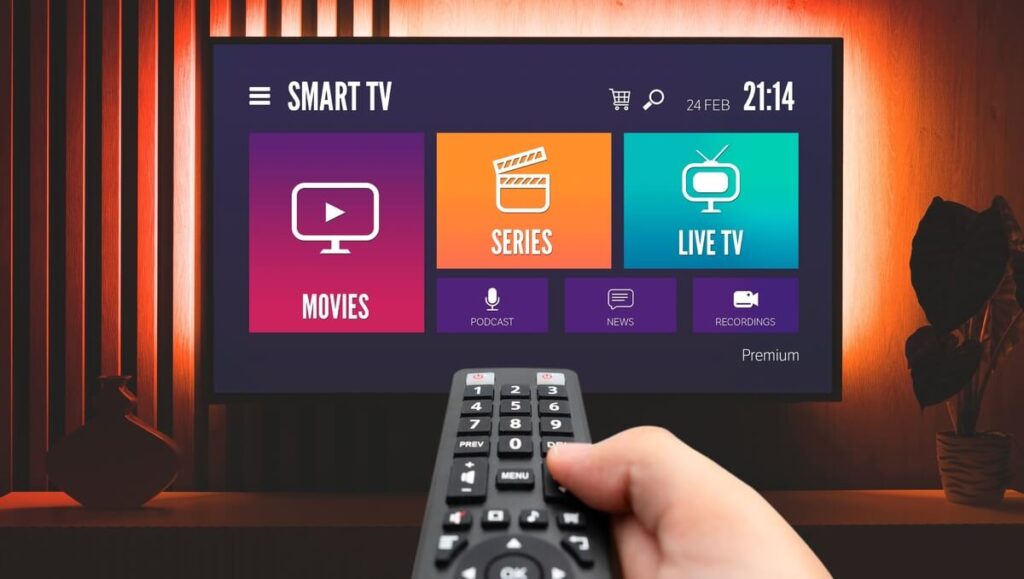
An IPTV player is an application that allows you to watch IPTV content.
Contrary to what many beginners think, an IPTV player usually does not provide channels by itself.
Instead, it acts as a media player.
You connect it to an IPTV service using:
- Xtream Codes login
- M3U playlist URL
- Local playlist file
- Portal URL
- Stalker Portal credentials
Once connected, the app organizes and displays your content.
A good IPTV player can show:
- Live TV channels
- Video on Demand (VOD)
- TV series
- Catch-up content
- Electronic Program Guide (EPG)
- Recording options
- Favorites lists
- Multi-screen viewing
A poor IPTV player can make even a premium IPTV service feel unreliable.
That’s why experienced IPTV users often spend more time choosing a player than choosing a provider.
Why Your IPTV Player Matters More Than Most People Think
Many IPTV users blame their provider when something goes wrong.
Sometimes the provider is responsible.
But often the player is the real problem.
Let’s look at a simple example.
Imagine two users have the exact same IPTV subscription.
User A uses a modern IPTV player with optimized playlist management.
User B uses an outdated player that hasn’t received updates in years.
Even though they are using the same IPTV service:
- User A experiences faster channel switching
- User A gets a cleaner TV guide
- User A enjoys smoother navigation
- User A can organize favorites more easily
- User A experiences fewer crashes
Meanwhile User B complains that the service is slow.
The reality is that the app is causing the frustration.
The IPTV player acts as the bridge between you and your IPTV service.
The better that bridge is built, the better your viewing experience becomes.
What Makes a Great IPTV Player in 2026?
The IPTV market has changed significantly over the past few years.
Features that were considered premium in 2022 are now expected.
When comparing IPTV players, these are the most important factors.
User Interface
Nobody wants to spend five minutes looking for a channel.
The best IPTV players have clean interfaces that feel similar to cable television or popular streaming services.
A well-designed interface should allow you to:
- Browse channels quickly
- Access favorites easily
- Search efficiently
- Navigate categories without confusion
Good design saves time every day.
EPG Support
EPG stands for Electronic Program Guide.
This is the TV guide that shows:
- Current program
- Upcoming shows
- Program descriptions
- Channel schedules
Without EPG support, finding content becomes much harder.
The best IPTV players offer advanced EPG features including:
- Automatic updates
- Multiple EPG sources
- Channel mapping
- Schedule previews
Xtream Codes Compatibility
Most IPTV providers today support Xtream Codes.
This login method usually requires:
- Username
- Password
- Server URL
It is simpler than importing large M3U files and often provides better organization.
Any IPTV player worth considering in 2026 should fully support Xtream Codes.
Performance
Performance matters.
Nobody enjoys waiting 10 seconds for channels to load.
The best IPTV players offer:
- Fast startup times
- Smooth navigation
- Quick channel switching
- Efficient playlist loading
Performance becomes especially important when dealing with playlists containing thousands of channels.
Device Compatibility
Different users have different setups.
Some use:
- Fire TV Stick
- Android TV
- Google TV
- Samsung Smart TV
- LG Smart TV
- Apple TV
- Smartphones
- Tablets
A good IPTV player should support the devices you actually use.
Updates and Support
Software that never receives updates eventually becomes outdated.
Regular updates usually indicate:
- Bug fixes
- Security improvements
- New features
- Better compatibility
An actively maintained IPTV player generally provides a better long-term experience.
Quick Comparison: Best IPTV Players in 2026
Before diving into detailed reviews, here is a quick overview.
One app consistently stays near the top of almost every ranking.
That app is TiviMate.
TiviMate Review: Still the King of IPTV in 2026?
If IPTV players had a hall of fame, TiviMate would already have its own room.
Few IPTV applications have earned the reputation that TiviMate enjoys among IPTV enthusiasts.
Even years after its release, it remains the benchmark that many competing apps try to match.
There is a reason experienced IPTV users frequently recommend TiviMate before anything else.
It simply does a lot of things right.
What Is TiviMate?
TiviMate is an IPTV player built primarily for Android TV devices.
Unlike many IPTV apps that started as mobile applications and later expanded to televisions, TiviMate was designed with TV screens in mind from the beginning.
That difference becomes obvious within minutes.
The interface feels natural.
The navigation feels fast.
The overall experience feels closer to a premium television platform than a simple IPTV app.
Supported Devices
TiviMate works on:
- Android TV
- Google TV
- Nvidia Shield
- Chromecast with Google TV
- Android TV Boxes
- Fire TV Stick
- Fire TV Cube
- Android-based streaming devices
One limitation is that TiviMate is not available for Samsung Tizen TVs or LG webOS televisions.
Users on those platforms usually need alternatives such as IBO Player or Hot IPTV.
Why IPTV Users Love TiviMate
The answer is simple.
It feels professional.
Many IPTV apps feel like software projects.
TiviMate feels like a finished product.
Several features contribute to this reputation.
Excellent TV Guide
TiviMate offers one of the best EPG implementations available.
The TV guide is:
- Fast
- Easy to read
- Visually clean
- Highly customizable
You can quickly browse channels while seeing current and upcoming programs.
For users coming from cable television, the transition feels familiar.
Fast Channel Switching
Channel switching speed matters.
Nobody enjoys staring at loading screens.
Testing across multiple IPTV providers shows that TiviMate consistently delivers fast switching times when paired with stable internet and quality IPTV services.
While actual speed depends on the provider, TiviMate rarely becomes the bottleneck.
Multiple Playlist Support
Many IPTV users subscribe to more than one service.
TiviMate handles this extremely well.
You can load multiple playlists and organize them together.
This allows users to:
- Compare providers
- Create custom channel groups
- Access multiple content libraries
- Maintain backup services
For advanced users, this feature alone can justify using TiviMate.
Recording Features
Recording remains one of TiviMate’s strongest features.
Users can schedule recordings directly from the guide.
This feature makes IPTV feel much closer to traditional television systems.
Not every IPTV service supports recording equally well, but when properly configured, TiviMate’s recording tools are impressive.
Multi-Screen Viewing
Sports fans love this feature.
TiviMate allows multiple channels to appear simultaneously on the screen.
This is especially useful for:
- Football weekends
- UFC events
- Formula 1 races
- March Madness
- Major sports tournaments
Instead of constantly switching channels, users can watch multiple streams at once.
Customization
TiviMate offers extensive customization options.
Users can modify:
- Channel groups
- Interface appearance
- TV guide layout
- Channel logos
- Favorites organization
- Playback settings
Some people spend hours fine-tuning their setup.
Others leave everything at default and enjoy a great experience immediately.
Either approach works.
TiviMate Premium vs Free
The free version is useful.
The premium version unlocks most of the features that make TiviMate famous.
Premium features include:
- Multiple playlists
- Recording
- Advanced customization
- Backup and restore
- Multi-screen viewing
- Additional TV guide features
For serious IPTV users, premium is usually worth the cost.
Many users consider it one of the best purchases they make for their streaming setup.
TiviMate Strengths
After years of updates and user feedback, several strengths consistently stand out.
Pros
- Outstanding interface
- Excellent EPG support
- Fast performance
- Recording capabilities
- Multi-screen support
- Strong playlist management
- Frequent updates
- Large user community
TiviMate Weaknesses
No app is perfect.
TiviMate does have limitations.
Cons
- No Samsung TV support
- No LG TV support
- Learning curve for some advanced features
- Premium version needed for full functionality
- Limited Apple ecosystem support
Most users consider these relatively minor issues, but they are worth mentioning.
Who Should Use TiviMate?
TiviMate is ideal for:
- Firestick users
- Android TV users
- Sports fans
- IPTV enthusiasts
- Users managing multiple playlists
- People who want a cable-like experience
If you primarily watch IPTV on Android TV or Fire TV devices, TiviMate remains the easiest recommendation in 2026.
For many users, the search for the best IPTV player ends here.
The competition is strong, but TiviMate still sets the standard.
IPTV Smarters Pro Review: The Most Popular IPTV Player for Beginners
If TiviMate is the enthusiast’s choice, IPTV Smarters Pro is the app that most beginners encounter first.
There is a good chance that if you purchased an IPTV subscription in the last few years, your provider sent setup instructions for IPTV Smarters Pro.
That is not a coincidence.
The app is available on multiple platforms, relatively easy to use, and supports most IPTV login methods.
For many users, IPTV Smarters Pro becomes their first IPTV player.
The real question is whether it should remain their IPTV player.
What Is IPTV Smarters Pro?
IPTV Smarters Pro is a multi-platform IPTV player designed to work with various IPTV services.
Unlike some IPTV players that focus primarily on Android TV, IPTV Smarters Pro aims to support almost every major platform.
That includes:
- Android phones
- Android TV
- Firestick
- Fire TV Cube
- Windows PCs
- Mac computers
- iPhone
- iPad
- Some Smart TV platforms
This broad compatibility is one of the biggest reasons for its popularity.
Instead of learning multiple apps, users can often use the same interface across different devices.
Why Providers Often Recommend IPTV Smarters
The answer is simple.
It reduces support tickets.
Many IPTV providers receive setup questions every day.
Questions like:
- Where do I enter my login?
- How do I load channels?
- How do I watch movies?
- How do I access the TV guide?
IPTV Smarters keeps the process straightforward.
Users typically enter:
- Username
- Password
- Server URL
The app then imports:
- Live TV
- Movies
- Series
- TV guide data
Within minutes, the service is ready to use.
For beginners, that simplicity matters.
User Interface
The IPTV Smarters interface focuses on ease of use.
When users open the app, they usually see categories such as:
- Live TV
- Movies
- Series
- Catch-Up
- Multi-Screen
The layout resembles modern streaming platforms.
New users generally adapt quickly because the structure feels familiar.
However, compared to TiviMate, the interface can feel slightly less polished.
TiviMate often feels like software designed specifically for television.
IPTV Smarters feels more like a platform adapted to many different devices.
That flexibility comes with compromises.
Multi-Platform Support
This is where IPTV Smarters shines.
Many IPTV players perform exceptionally well on one platform but struggle elsewhere.
IPTV Smarters takes a different approach.
The goal is consistency.
Whether you’re using:
- Android phone
- Tablet
- Firestick
- Laptop
- Desktop computer
the overall experience remains similar.
Families often appreciate this because everyone can use the same application regardless of device.
Xtream Codes Integration
IPTV Smarters works extremely well with Xtream Codes.
Most IPTV providers today support this login method.
Instead of importing large playlist files, users simply enter their credentials.
Benefits include:
- Faster setup
- Better content organization
- Automatic category sorting
- Easier account management
For beginners, Xtream Codes is usually the easiest setup option available.
VOD Experience
Video on Demand is one of IPTV Smarters’ strongest areas.
Movies and TV shows are organized in a way that resembles major streaming services.
Users can browse:
- Categories
- Genres
- Recently added content
- TV series seasons
This structure makes large VOD libraries easier to navigate.
Some IPTV services include tens of thousands of movies.
Without proper organization, finding content becomes frustrating.
IPTV Smarters handles this challenge fairly well.
Multi-Screen Feature
Sports fans will appreciate the built-in multi-screen option.
The feature allows users to watch multiple streams simultaneously.
Examples include:
- Football on one screen
- UFC on another
- News on a third screen
The actual performance depends on device power and internet speed.
However, the feature works surprisingly well on capable hardware.
IPTV Smarters Pros
Advantages
- Easy setup
- Beginner friendly
- Works on many platforms
- Excellent Xtream Codes support
- Strong VOD interface
- Multi-screen support
- Popular among IPTV providers
- Frequent updates
IPTV Smarters Cons
Disadvantages
- Interface feels less premium than TiviMate
- TV guide experience is weaker
- Customization options are more limited
- Can feel slower on older devices
- Playlist management isn’t as advanced
Who Should Use IPTV Smarters?
IPTV Smarters is perfect for:
- Beginners
- Families
- Users with multiple device types
- People who value simplicity
- Users focused on VOD content
If your priority is quick setup and easy navigation, IPTV Smarters remains one of the safest choices in 2026.
IPTV Smarters Rating
IBO Player Review: The Smart TV Favorite

One of the biggest frustrations in IPTV is Smart TV compatibility.
Android TV users have TiviMate.
Firestick users have dozens of options.
Samsung and LG users often face more restrictions.
This is where IBO Player enters the conversation.
Over the past few years, IBO Player has become one of the most popular IPTV applications for Smart TVs.
Many users consider it the easiest solution for Samsung and LG televisions.
What Is IBO Player?
IBO Player is an IPTV player designed primarily for Smart TVs.
It supports:
- Samsung TVs
- LG TVs
- Android devices
- Android TV
Unlike some IPTV applications, IBO Player focuses heavily on television viewing rather than smartphone use.
The result is an interface optimized for remote controls.
That sounds simple, but it matters.
Many IPTV apps technically work on televisions while feeling awkward to navigate.
IBO Player avoids most of those issues.
Installation Process
One reason IBO Player became popular is installation simplicity.
Many Smart TV users prefer avoiding complicated sideloading procedures.
The process generally looks like this:
- Install IBO Player.
- Open the application.
- Obtain device ID and key.
- Upload playlist information.
- Restart the app.
After setup, channels load automatically.
Compared to certain alternative methods, the process is relatively painless.
User Interface
The interface is modern and clean.
Large channel lists remain manageable.
Navigation feels responsive.
The design focuses on television viewing rather than advanced customization.
That means:
- Easier learning curve
- Cleaner menus
- Faster setup
However, advanced users may occasionally wish for additional control options.
Performance
Performance is generally strong.
Factors affecting performance include:
- TV hardware
- Internet speed
- IPTV provider quality
When using a stable IPTV service, IBO Player handles:
- Live TV
- Movies
- Series
- EPG data
without major issues.
Samsung and LG users often report smoother experiences compared to older IPTV applications.
Playlist Management
IBO Player supports:
- M3U playlists
- Xtream Codes login
Most modern IPTV services work without difficulty.
This compatibility is important because IPTV users frequently change providers over time.
A flexible player reduces migration headaches.
IBO Player Pros
Advantages
- Excellent Smart TV compatibility
- Easy setup
- Clean interface
- Good performance
- Strong playlist support
- Remote-control friendly
IBO Player Cons
Disadvantages
- Fewer customization options
- Limited power-user features
- Less advanced than TiviMate
- Smaller community
Who Should Use IBO Player?
IBO Player is ideal for:
- Samsung TV owners
- LG TV owners
- Users who prefer simplicity
- Families
- Casual IPTV viewers
For Smart TV users, IBO Player remains one of the strongest options available.
IBO Player Rating
Hot IPTV Review: A Serious Competitor for Smart TVs

When discussing IPTV players for Samsung and LG televisions, another name appears frequently.
Hot IPTV.
The app has grown significantly over recent years and has developed a loyal user base.
Many Smart TV owners view it as a direct alternative to IBO Player.
In some situations, users even prefer it.
What Is Hot IPTV?
Hot IPTV is a Smart TV-focused IPTV player designed to provide:
- Live TV access
- VOD support
- Series support
- EPG integration
The app works particularly well on:
- Samsung TVs
- LG TVs
This focus allows developers to optimize the experience specifically for television users.
Interface Design
Hot IPTV uses a straightforward design philosophy.
Instead of adding endless menus and options, it prioritizes:
- Speed
- Simplicity
- Accessibility
Most users can begin navigating immediately.
This matters because many IPTV customers are not technology enthusiasts.
Some simply want to watch television without spending hours adjusting settings.
Performance Testing
Performance is generally very solid.
Channel loading times are competitive.
Menu responsiveness is good.
EPG loading is reliable.
While differences between IPTV players are often measured in fractions of seconds, small improvements add up over months of daily use.
Smart TV Optimization
This is where Hot IPTV earns most of its praise.
Many IPTV apps begin as Android projects.
Hot IPTV feels designed around television usage from day one.
Remote navigation feels natural.
Menu layouts make sense.
Daily usage feels smooth.
These details may seem minor, but they become noticeable over time.
EPG Experience
A good EPG can completely change how users interact with IPTV.
Instead of endlessly browsing channels, users can quickly see:
- What’s currently playing
- What’s coming next
- Program descriptions
- Channel schedules
Hot IPTV provides a reliable TV guide experience that satisfies most users.
Hot IPTV Pros
Advantages
- Excellent Smart TV support
- Easy navigation
- Reliable performance
- Good EPG functionality
- Clean interface
- Beginner friendly
Hot IPTV Cons
Disadvantages
- Fewer advanced features
- Less customization
- Smaller ecosystem
- Limited power-user tools
Who Should Use Hot IPTV?
Hot IPTV works best for:
- Samsung TV owners
- LG TV owners
- Families
- Beginners
- Users prioritizing simplicity
Those looking for extensive customization may prefer TiviMate or OTT Navigator.
Those wanting a simple living-room experience may find Hot IPTV ideal.
Hot IPTV Rating
Mid-Ranking Comparison Table
At this point in the rankings, TiviMate still holds the top position overall, but IPTV Smarters remains the best choice for beginners, while IBO Player and Hot IPTV dominate the Smart TV category.
In the next section, we’ll cover Sparkle TV, OTT Navigator, XCIPTV, and MyTVOnline—four apps that target more specialized IPTV audiences and offer features that many users overlook.
Sparkle TV Review: The Closest Thing to TiviMate

Whenever IPTV users discuss alternatives to TiviMate, one name appears repeatedly.
Sparkle TV.
A few years ago, most IPTV conversations focused almost entirely on TiviMate and IPTV Smarters.
Today, Sparkle TV has earned a legitimate place among the best IPTV players available.
In fact, some users have completely switched from TiviMate to Sparkle TV.
That doesn’t mean Sparkle TV is better.
But it does mean the gap has become much smaller than many people realize.
What Is Sparkle TV?
Sparkle TV is an IPTV player designed specifically for television devices.
The app supports:
- Android TV
- Google TV
- Fire TV devices
- Nvidia Shield
- Android TV Boxes
From the moment you launch it, you notice similarities to traditional TV interfaces.
The design is clean.
Menus are responsive.
Navigation feels natural with a remote control.
Unlike some IPTV apps that feel like smartphone applications stretched onto a television screen, Sparkle TV feels built for TV users.
Why Sparkle TV Is Growing Fast
The biggest reason is simple.
Many IPTV users wanted a modern alternative to TiviMate.
Sparkle TV filled that gap.
Several features contributed to its growth:
- Active development
- Frequent updates
- Strong EPG support
- Modern interface
- Good performance
- Recording support
The developers have clearly paid attention to user feedback.
New features arrive regularly, and the app continues to improve.
Interface Quality
The interface is one of Sparkle TV’s strongest areas.
The layout feels modern without becoming complicated.
Users can easily:
- Browse channels
- Search content
- Access recordings
- Manage favorites
- Navigate categories
For people moving from cable television, the learning curve is minimal.
Recording Features
Recording support is increasingly important.
Many IPTV users still enjoy recording:
- Football matches
- Formula 1 races
- News broadcasts
- Television shows
Sparkle TV handles recording well.
While setup requirements vary depending on your device and storage options, the feature is reliable once configured properly.
Performance
Performance is excellent.
During testing, Sparkle TV performs well with:
- Large playlists
- Multiple categories
- Extensive EPG data
- Large VOD libraries
The app feels lightweight even on mid-range streaming devices.
That matters because not everyone uses high-end hardware.
Many IPTV users still rely on older Firesticks and Android boxes.
Sparkle TV Pros
Advantages
- Excellent interface
- Fast performance
- Recording support
- Active development
- Strong EPG features
- Good playlist management
- Great TV experience
Sparkle TV Cons
Disadvantages
- Smaller community than TiviMate
- Fewer tutorials available online
- Not as widely supported by providers
Who Should Use Sparkle TV?
Sparkle TV is ideal for:
- Android TV users
- Firestick users
- Users wanting a TiviMate alternative
- People who value a modern interface
- Users who record content
For many users, Sparkle TV is now the second-best IPTV player available.
Sparkle TV Rating
OTT Navigator Review: Built for Power Users

Some IPTV players try to be simple.
OTT Navigator takes a different approach.
This app is built for people who want control.
Lots of it.
For beginners, that can be intimidating.
For experienced IPTV users, it can be incredibly powerful.
What Is OTT Navigator?
OTT Navigator is an IPTV player designed for advanced users.
It supports:
- Android TV
- Android smartphones
- Android tablets
- Fire TV devices
The app includes a huge number of settings and customization options.
Some users love that.
Others open the settings menu and immediately regret their life choices.
Why Power Users Love It
Customization.
That is the main reason.
OTT Navigator allows users to customize:
- Channel groups
- Categories
- Layouts
- Sorting methods
- EPG behavior
- Playback settings
- Filters
- Search options
If you enjoy fine-tuning every aspect of your IPTV experience, OTT Navigator can feel like paradise.
Playlist Handling
Large playlists are common today.
Some IPTV subscriptions include:
- 10,000+ channels
- 50,000+ movies
- Thousands of TV episodes
Managing that amount of content requires strong playlist handling.
OTT Navigator performs exceptionally well here.
The app provides advanced filtering and organization tools that many competitors lack.
Search Features
This is another area where OTT Navigator excels.
The search system is powerful.
Users can quickly locate:
- Channels
- Movies
- TV series
- Categories
For very large IPTV libraries, this becomes extremely useful.
The Downside
The same flexibility that attracts advanced users can overwhelm beginners.
New users often feel lost because there are so many settings available.
The app is powerful, but it requires patience.
If you simply want to watch TV without adjusting dozens of settings, other players may be a better choice.
OTT Navigator Pros
Advantages
- Extremely customizable
- Excellent playlist management
- Powerful search features
- Strong filtering options
- Great for large IPTV libraries
- Fast performance
OTT Navigator Cons
Disadvantages
- Steeper learning curve
- Interface feels less polished
- Can overwhelm beginners
- More complex setup
Who Should Use OTT Navigator?
Best for:
- Advanced IPTV users
- Multiple-playlist users
- IPTV enthusiasts
- Large library management
- Power users
OTT Navigator Rating
XCIPTV Review: The Best Free IPTV Player?
Many IPTV users ask the same question:
“Do I really need to pay for an IPTV player?”
The answer depends on your expectations.
If you want a free solution, XCIPTV is one of the strongest options available.
What Is XCIPTV?
XCIPTV is a free IPTV player that supports:
- Xtream Codes
- M3U playlists
- Live TV
- VOD
- TV series
The app has been around for years and remains popular among budget-conscious users.
Why XCIPTV Remains Popular
The obvious reason is cost.
Free is difficult to beat.
Many IPTV users simply want a functional application that:
- Loads channels
- Displays the guide
- Plays content reliably
XCIPTV accomplishes those tasks reasonably well.
Interface
The interface is clean but not spectacular.
It gets the job done.
Compared with TiviMate or Sparkle TV, it feels somewhat older.
However, it remains perfectly usable.
Most users adapt quickly.
Performance
Performance is generally good.
The app handles:
- Live channels
- Movies
- TV series
- Guide data
without major issues.
For a free application, the performance is impressive.
XCIPTV Pros
Advantages
- Free
- Easy setup
- Xtream Codes support
- Reliable performance
- Lightweight
- Widely supported
XCIPTV Cons
Disadvantages
- Older interface
- Limited customization
- Fewer premium features
- Less polished overall
Who Should Use XCIPTV?
XCIPTV is ideal for:
- Beginners
- Budget-conscious users
- Casual viewers
- Users testing IPTV for the first time
XCIPTV Rating
MyTVOnline Review: The Secret Weapon of Formuler Boxes

Most IPTV players are applications.
MyTVOnline is different.
It is tied directly to Formuler devices.
Because of this integration, many IPTV enthusiasts consider it one of the smoothest IPTV experiences available.
What Is MyTVOnline?
MyTVOnline is the IPTV platform built into Formuler streaming devices.
Popular devices include the Formuler Z11 Pro Max and earlier Formuler models.
Unlike third-party IPTV apps, MyTVOnline is deeply integrated with the hardware.
That creates several advantages.
Why Formuler Users Love It
Hardware and software are designed together.
This results in:
- Fast navigation
- Stable performance
- Smooth playback
- Excellent remote control integration
Many users compare the experience to traditional cable boxes.
That is high praise in the IPTV world.
TV Guide Experience
The guide is outstanding.
Many users rank MyTVOnline’s EPG among the best available.
The guide is:
- Fast
- Responsive
- Easy to read
- Well organized
For heavy television viewers, this alone can justify purchasing a Formuler box.
Recording Features
Recording works well when properly configured.
Users can record:
- Sports
- Movies
- TV shows
- News programs
The process feels more integrated than many standalone IPTV applications.
Performance
Performance is excellent.
The hardware optimization gives MyTVOnline an advantage that third-party applications cannot easily match.
Everything feels responsive.
Channel switching is quick.
Navigation is smooth.
Playback is stable.
The Biggest Limitation
There is one obvious drawback.
You need a Formuler device.
If you own:
- Firestick
- Samsung TV
- LG TV
- Apple TV
MyTVOnline is not an option.
This limitation prevents it from ranking higher overall.
MyTVOnline Pros
Advantages
- Excellent EPG
- Smooth performance
- Hardware optimization
- Great recording features
- Premium television experience
- Fast navigation
MyTVOnline Cons
Disadvantages
- Requires Formuler hardware
- Less flexibility
- Higher upfront cost
- Smaller user base
Who Should Use MyTVOnline?
Best for:
- Formuler owners
- IPTV enthusiasts
- Heavy TV viewers
- Sports fans
- Users seeking cable-like experience
MyTVOnline Rating
Updated IPTV Player Rankings (So Far)
At this stage, one thing becomes clear:
There is no single “best” IPTV player for everyone.
The best player depends heavily on your device and viewing habits.
A Samsung TV owner will likely choose IBO Player or Hot IPTV.
A Firestick user will usually prefer TiviMate or Sparkle TV.
A Formuler owner may never leave MyTVOnline.
And a beginner often feels most comfortable with IPTV Smarters.
Best IPTV Player for Firestick
The Firestick remains one of the most popular streaming devices in the world.
Even though recent Amazon changes have made installing third-party apps slightly more complicated, millions of IPTV users still rely on Fire TV devices every day.
The good news is that several IPTV players continue to perform exceptionally well on Firestick.
Winner: TiviMate
For most Firestick users, TiviMate remains the easiest recommendation.
Why?
Because it offers:
- Fast channel switching
- Excellent TV guide
- Recording support
- Multi-screen viewing
- Smooth remote navigation
- Extensive customization
The interface feels like a premium television platform rather than a simple IPTV application.
If you’re using a Firestick 4K, Firestick 4K Max, or Fire TV Cube, TiviMate is still the benchmark.
Firestick Rankings
Best IPTV Player for Android TV
Android TV users have access to more IPTV applications than any other platform.
That is both a blessing and a curse.
More choices often means more confusion.
Fortunately, the rankings are relatively clear.
Winner: TiviMate
TiviMate was practically built for Android TV.
The app feels perfectly suited to:
- Google TV devices
- Nvidia Shield
- Chromecast with Google TV
- Android TV boxes
Its interface, navigation, and TV guide remain among the best available.
For Android TV users, TiviMate continues to hold the crown.
Android TV Rankings
Best IPTV Player for Samsung TVs
Samsung users face a unique challenge.
Unlike Android TV users, they cannot simply install every IPTV app available.
That makes choosing the right Smart TV player much more important.
Winner: IBO Player
IBO Player has become one of the most trusted IPTV players for Samsung televisions.
The app delivers:
- Smooth navigation
- Good playlist support
- Reliable performance
- Easy setup
- Strong Smart TV optimization
Most importantly, it feels natural when used with a television remote.
That may sound obvious, but many apps struggle in this area.
Samsung TV Rankings
For most Samsung users, IBO Player remains the safest choice.
Best IPTV Player for LG TVs
LG users face many of the same limitations as Samsung users.
The good news is that several excellent IPTV players support LG televisions.
Winner: Hot IPTV
This was one of the closest rankings in the article.
IBO Player and Hot IPTV are extremely competitive.
However, Hot IPTV earns a slight edge because of its:
- Smart TV-focused design
- Reliable guide performance
- Smooth navigation
- Excellent compatibility
Many LG users report long-term stability with Hot IPTV.
That consistency matters.
LG TV Rankings
Best IPTV Player for Apple TV and iPhone
Apple users have historically had fewer IPTV options than Android users.
Fortunately, the situation has improved significantly.
Several IPTV players now provide excellent experiences within Apple’s ecosystem.
Winner: IPTV Smarters Pro
IPTV Smarters wins here because of availability and ease of use.
The app works well across:
- Apple TV
- iPhone
- iPad
Its familiar interface makes setup straightforward.
For Apple users who simply want a reliable IPTV player, IPTV Smarters remains one of the best options.
Apple Rankings
Best IPTV Player for Sports Fans
Sports viewers often have different priorities.
They care about:
- Fast channel switching
- Multi-screen viewing
- Recording support
- Stable playback
- Easy navigation
For this category, one app stands above the rest.
Winner: TiviMate
Multi-view alone gives TiviMate a huge advantage.
Being able to watch:
- Football
- UFC
- Formula 1
- Basketball
at the same time is incredibly useful.
Add excellent recording support and a great TV guide, and it becomes difficult to beat.
Sports Rankings
Free vs Paid IPTV Players
One question appears constantly in IPTV communities.
Should you pay for an IPTV player?
The answer depends on your expectations.
Free IPTV Players
Examples include:
- XCIPTV
- Some versions of IPTV Smarters
- OTT Navigator Free
Advantages:
- No upfront cost
- Easy testing
- Good for beginners
Disadvantages:
- Fewer features
- Limited customization
- Occasional advertisements
- Fewer advanced tools
Paid IPTV Players
Examples include:
- TiviMate Premium
- Sparkle TV Premium
- IBO Player
- Hot IPTV
Advantages:
- Better interfaces
- Advanced features
- Recording support
- Better playlist management
- More customization
Disadvantages:
- Additional cost
In reality, most serious IPTV users eventually move toward premium applications.
The difference in daily experience is usually worth the small investment.
Features That Matter Most in 2026
When evaluating IPTV players, these features matter more than flashy marketing.
EPG Quality
A poor TV guide makes IPTV frustrating.
A good guide makes everything easier.
Look for:
- Fast loading
- Accurate schedules
- Program descriptions
- Easy navigation
Xtream Codes Support
Most IPTV providers support Xtream Codes.
The best IPTV players should support it natively.
Benefits include:
- Easier setup
- Better organization
- Faster playlist loading
Recording Features
Recording remains important.
Not everyone can watch live events.
A strong recording system adds flexibility.
Multi-Screen Viewing
This feature is becoming increasingly popular.
Especially among sports fans.
The ability to monitor multiple channels simultaneously can dramatically improve the viewing experience.
Playlist Management
Modern IPTV subscriptions often contain:
- Thousands of channels
- Massive VOD libraries
- Multiple categories
Good playlist management prevents information overload.
Performance
Fancy features mean nothing if the app feels slow.
Performance remains one of the most important factors.
The best IPTV players feel responsive every day.
Frequently Asked Questions
What is the best IPTV player overall?
For Android TV and Firestick users, TiviMate remains the strongest overall choice in 2026.
Is TiviMate worth paying for?
For most IPTV users, yes.
The premium version unlocks many of the features that make TiviMate popular.
What is the best IPTV player for beginners?
IPTV Smarters Pro.
The setup process is simple and the interface is easy to understand.
What is the best IPTV player for Samsung TVs?
IBO Player remains one of the strongest options for Samsung televisions.
What is the best IPTV player for LG TVs?
Hot IPTV and IBO Player are both excellent choices.
Which IPTV player has the best TV guide?
TiviMate and MyTVOnline consistently rank near the top.
Which IPTV player is best for sports?
TiviMate.
Multi-screen support and recording features give it an advantage.
Which IPTV player is best for multiple playlists?
OTT Navigator and TiviMate both perform exceptionally well.
What is the best free IPTV player?
XCIPTV remains one of the strongest free options available.
Can I use one IPTV player with different IPTV services?
Usually yes.
Most IPTV players support:
- Xtream Codes
- M3U playlists
- Portal URLs
This allows users to switch providers without changing apps.
Do IPTV players provide channels?
No.
IPTV players are media players.
You still need an IPTV service or playlist to access content.
Is IPTV Smarters better than TiviMate?
For beginners, IPTV Smarters may feel easier.
For advanced users, TiviMate generally offers more features and customization.
Final Rankings: Best IPTV Players in 2026
After evaluating usability, performance, compatibility, customization, and long-term reliability, these are our final rankings.
Final Verdict: Which IPTV Player Should You Choose?
The answer depends on your device.
If you’re using a Firestick or Android TV device, TiviMate remains the best IPTV player available in 2026.
Its combination of speed, TV guide quality, recording features, customization, and multi-screen viewing continues to set the standard for the industry.
If you’re a beginner, IPTV Smarters Pro is often the easiest place to start.
If you own a Samsung or LG Smart TV, IBO Player and Hot IPTV are excellent choices.
If you’re using a Formuler box, MyTVOnline delivers one of the smoothest IPTV experiences available anywhere.
And if you’re looking for a free option, XCIPTV still offers impressive value.
The good news is that IPTV players have improved dramatically over the last few years.
The days of clunky interfaces, unreliable guides, and frustrating navigation are largely behind us.
Choose the player that fits your device, your viewing habits, and your experience level, and you’ll enjoy a much better IPTV experience every single day.
In 2026, there are many good IPTV players.
But for most users, TiviMate remains the player everyone else is still trying to catch.